No more waiting for the waiter
Guests order when they're ready, even one last drink on the terrace.
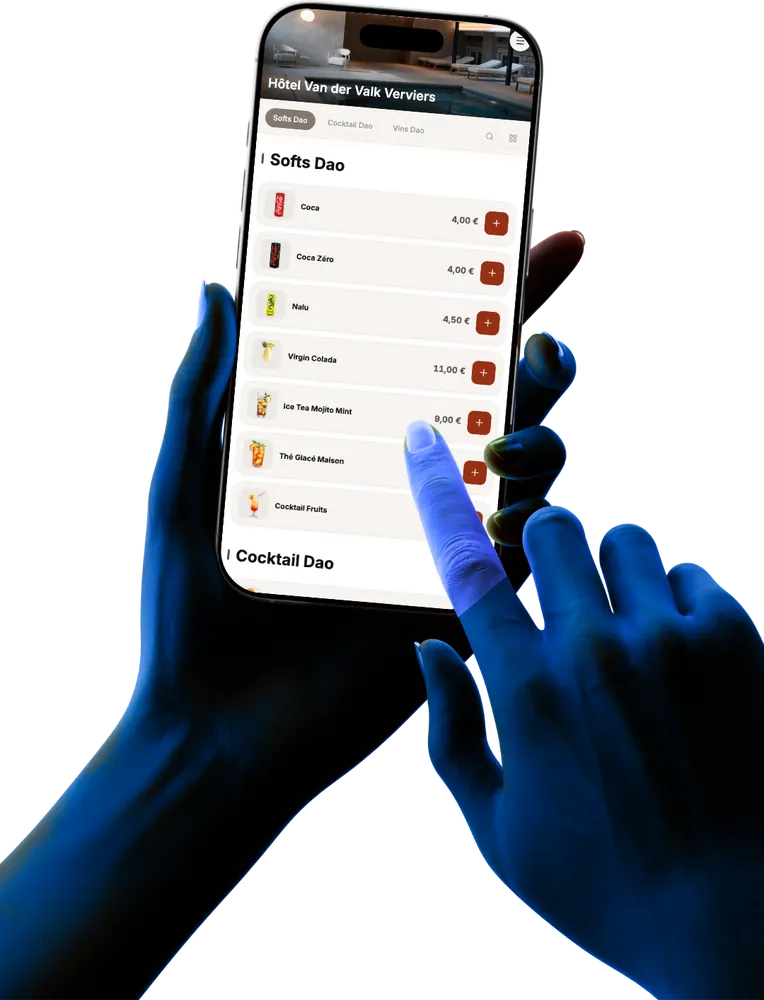
A QR code on the table is all it takes. The menu opens in the browser, with no app, and the order reaches the bar and the kitchen.
Guests order when they're ready, even one last drink on the terrace.
Fewer trips to take orders, more time for service and advice.
The order reaches unTill® on the right table, and tickets go to the bar and the kitchen.
Each table has its own code. No app to install.
The menu comes from your till, with photos, options and extras.
It reaches unTill® on their table, as if a waiter had taken it.
Right away online, or later with pay at the table or at the counter.
The menu opens in the phone's browser.
The order goes straight to the right table in the till.
Items, prices and availability come from unTill®.
Cooking, sides, sauces: just like at the counter.
A starter now, a dessert later, on the same table.
The same QR code can be used to pay the bill.
No. They scan the QR code with their phone camera and the menu opens in the browser.
No problem: the QR code adds to traditional service, it doesn't replace it. Both reach the same till.
Yes. It comes from your unTill® till: a changed price or a removed product shows up on the QR menu.
Our team prepares the QR codes for your tables and sets up the module on site.
Every module lands in the same unTill® till. Turn on only what you need.
We'll show you the module in action, connected to your till. Our team is there 7 days a week.